必看!Seedance2.0 Prompt提示词宝典

最近Seedance2.0 API全面开放,我的兴趣开始重新回到AI视频(&图片)生成方向~ 刚好今天在X上看到了一篇《Seedance2.0 Prompt圣经》,将译文分享给大家~ 

必看!Seedance2.0 Prompt提示词宝典

(备注:作者和Higgsfield深度合作的,故多次提到Higgsfield)

Seedance 2.0 提示词圣经

原文:Machina (https://x.com/EXM7777/status/2044072293383712878)
整理日期:2026-04-16

不懂 Seedance 2.0 的提示词门道,你每次生成的基本都是垃圾。创意再好、钱花得再多也没用。

这个模型对镜头、灯光、运动和约束条件有自己的一套语言。普通英文描述直接丢进提示框,效果堪比跟只懂日语的人讲法语。

这篇文章就是这门语言的完整参考。从每个镜头关键词、每个灯光修饰词,到真正有效的约束条件,再到那个 5 层结构——同样的 $0.60,有人生成素材库货色,有人做出让人停下来看完的内容,差距就在这里。

框架来自几百次实测、官方 Volcengine 文档、所有值得看的 Higgsfield / Yaroflasher 教程,加上社区验证过确实有效的技巧。全部压缩成一篇文章,用Seedance2.0生成视频时开着这篇文章做参考就行。


Seedance 2.0 到底是什么

它不是文生视频工具,是一个多模态电影片场。两者的差距,大概等于在 Google 搜图和执导一支 $50,000 商业广告之间的距离。

单次生成你能喂给它:

  • • 最多 9 张参考图(角色表、 mood board、产品照、分镜)
  • • 最多 3 个视频片段(镜头运动参考、编舞、节奏)
  • • 最多 3 条音轨(配音、音乐、音效)
  • • 再加上文本提示
Image 1

12 个参考文件同时丢进一个双分支扩散 Transformer,视频和音频在单次推理里一起出来。不是后期拼接,也不是两条管道硬凑。

一次推理,同步输出带双声道立体声音频的视频。唇同步支持 8+ 种语言(英语、普通话、日语、韩语、西班牙语、法语、德语、葡萄牙语及中文方言),还有背景音乐和拟音。

输出长度 4-15 秒,分辨率最高 1080p,音频视频同步完成。

Sora 2、Kling 3.0、Veo 3.1 都只吃文本+图片。Seedance 同时吃四种模态。而且在 Higgsfield 上额度给得大方,还能跟 Kling、Veo、Sora 以及 30+ 模型并排跑。同一个提示词丢给不同模型,一眼就能看出 Seedance 有什么不同。

如果你只会往提示框里打字,大概只用了这个工具 15% 的能力,却付了和别人一样的钱。


5 层提示词结构

官方文档给的是 6 元素公式,社区实测后压缩成了 5 层,效果比又臭又长的提示词稳定得多:

主体 > 动作 > 镜头 > 风格 > 约束

顺序很重要:

  • • 主体 放前面,给模型一个重心,避免注意力被分散
  • • 动作 第二位,提供动态锚点——其他元素变了,这个动作也得在
  • • 镜头 第三位,趁模型还没开始每几秒重选一次焦距之前锁死构图
  • • 风格 放后面,加视觉风味但不去抢运动的戏
  • • 约束 最后兜底,把前面四层没堵住的漏洞补上

第 1 层:主体

主体描述得越细,效果越稳。

差:a woman
还行:a young woman with brown hair
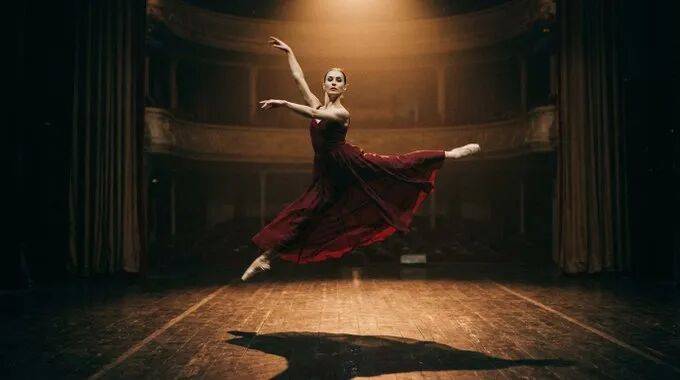
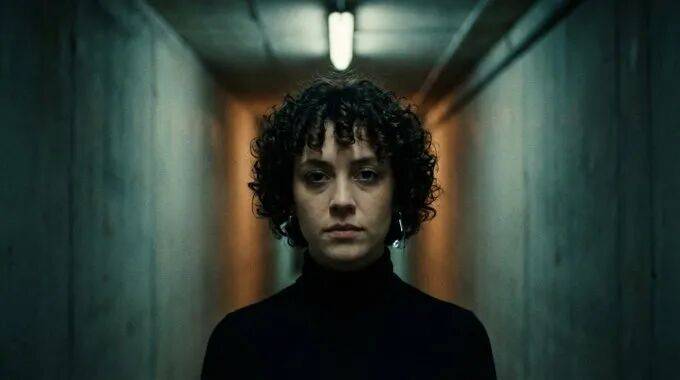
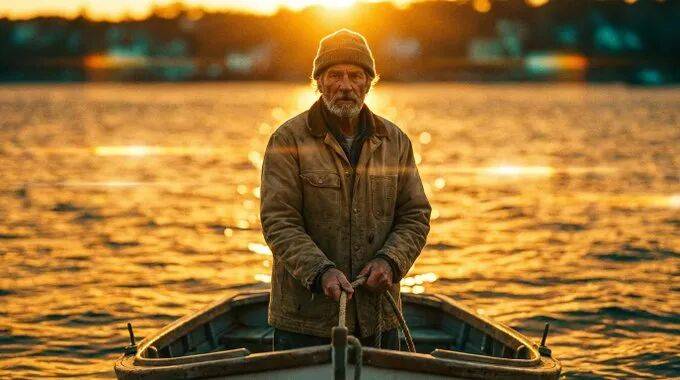
最好:a woman in her late 20s, tight dark curls at ear length, small silver hoop in left ear, wearing a fitted black turtleneck, neutral expression

你多给一条身份标记,模型就少一次幻觉。头发长度、衣服质感、姿势、配饰、皮肤细节,不写清楚就会漂移。模型补空白的方式永远是取训练数据的平均数——而平均数就是平庸。

最安全的路径是单次生成只放一个人。两个人可以,但要空间分离并分别打标签。三个人以上基本就是在抛硬币了(看运气了)。

Image 2

第 2 层:动作

现在时态,每个镜头一个主要运动。90% 的提示词死在这里——大家写的是状态,不是指令。

差:she looks happy and is enjoying the sunset
好:she slowly turns toward the camera, breeze lifting the hem of her skirt, eyes narrowing against the light

前者给了模型一张照片让它去凑,后者给了一个序列让它执行,差距非常大。

一条几乎没人遵守的规则:主体运动和镜头运动永远分开写

“spinning camera around a dancing person” 是一条指令,模型根本不知道谁该转。改成 “the dancer spins slowly, camera holds fixed framing”,歧义拆成两条清晰指令,大部分抖动和混乱输出都会消失——这些毛病很多人一直怪模型,其实是提示词的锅。

第 3 层:镜头

Seedance 把镜头方向当作一等条件信号,这是它跟其他产品拉开差距的核心。

每次生成只给一个主要镜头运动。用节奏词描述(slow, smooth, gentle),别堆技术规格。官方不鼓励写 f-stop、ISO、精确毫米数,模型对描述性语言的理解比对摄影机元数据更好。

镜头关键词库

静态镜头

  • • fixed / locked-off —— 完全不动
  • • static wide —— 广角固定 establishing shot
  • • locked tripod, zero camera shake —— 环境有抖动时用来锁死画面

运动镜头

  • • push-in / dolly in —— 推,制造张力、情感特写
  • • pull-out / dolly out —— 拉,交代环境、给context
  • • pan left/right —— 水平摇,扫描、跟随动作
  • • tracking shot / follow —— 跟拍,和主体并排移动
  • • orbit / arc / 360 orbit —— 环绕,产品展示、肖像、英雄时刻
  • • aerial / drone shot —— 航拍,风景、交代地理
  • • handheld —— 手持抖动,纪录片感、UGC 真实感
  • • crane up/down —— 升降,戏剧性高度 reveal
  • • gimbal —— 稳定平滑运动,精致电影感,和 handheld 是两种感觉
  • • steadicam walk —— 稳定跟随角色向前移动
  • • whip pan —— 快速横摇,紧迫感、转场
  • • dolly zoom —— 希区柯克眩晕效果,主体大小不变背景扭曲
  • • rack focus —— 移焦,在前景和背景之间转移注意力

速度修饰词

  • • imperceptible / barely —— 极慢,几乎察觉不到
  • • slow / gentle / gradual —— 最安全,默认推荐
  • • smooth / controlled —— 自然节奏
  • • dynamic / swift —— 高冲击力,慎用

“fast” 是 Seedance 提示词里最危险的词。fast camera + fast subject + busy scene 这套组合几乎必出抖动和压缩伪影。修复方法:只让一样东西快,其他全部稳住

Image 3

想要复合镜头运动?按顺序排,别堆在一个从句里:”start: slow dolly-in, then: gentle pan right for the final 2 seconds”。这样模型拿到的是两个清晰的时间阶段,而不是两条互相打架的指令。

第 4 层:风格

灯光、调色、电影参考、氛围。

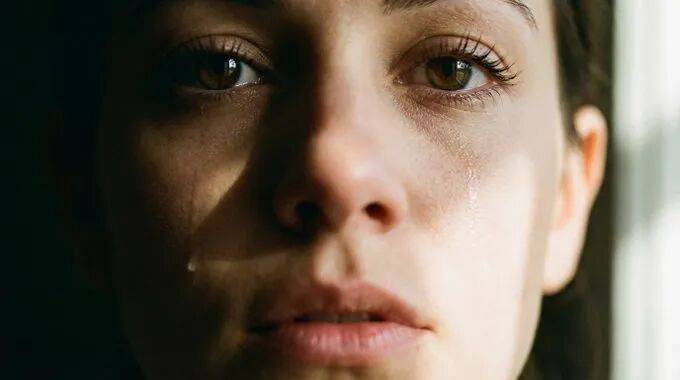
官方 Volcengine 指南说,灯光描述对视频质量的影响是最大的,比风格形容词大,比 quality modifier 大,比分辨率请求大。如果只能给弱提示加一样东西,加灯光描述。

Image 4

稳定产出的灯光词

  • • golden hour —— 性价比最高的单条改进
  • • rim light / dramatic rim light against dark background —— 电影感边缘分离
  • • soft key from 45 degrees —— flattering 访谈灯光
  • • overcast daylight / even overcast diffused light —— 消除明亮场景的闪烁
  • • backlit silhouette at sunset —— 戏剧性氛围
  • • motivated lighting from practical source —— 光源在画面里可见,真实感
  • • volumetric fog —— 大气深度,适合配背光
  • • chiaroscuro —— 《教父》式高对比灯光

调色

  • • teal and orange —— 经典好莱坞
  • • bleach bypass —— 低饱和、粗糙、高对比
  • • warm tone / amber-tinted —— 怀旧感
  • • crushed blacks —— 深沉电影感暗部
  • • pastel —— 柔和动漫或时尚 aesthetic

电影参考(风格锚点)

  • • cinematic film tone, 35mm —— 最稳的万能锚点
  • • 16mm film, handheld camera —— 原始独立电影感
  • • anamorphic lens flare —— 宽银幕电影感
  • • national geographic quality —— 自然纪录片质感
  • • documentary-style handheld framing —— 观察性现实主义

“cinematic” 单独用等于没给模型任何约束,官方直接说 too vague。cinematic film tone, 35mm, warm golden lighting 给了三个交叉约束;而单一个 cinematic 等于告诉它”随便发挥”。

还有个隐蔽的坑:”glow”、”glimmer”、”glints” 这类词容易引出镜面闪烁伪影。想要柔和的光但又不想画面时间不稳定,换成 steady intensity 或 diffuse

第 5 层:约束

这是护栏层,也是 AI 感视频和”看不出来是 AI”的视频之间的分界线。

每个角色提示必加的约束

  • • avoid jitter —— 画面别抖
  • • avoid bent limbs —— 胳膊腿别扭曲,每次写角色提示都必须加,没有例外
  • • avoid identity drift —— 角色特征别在镜头间变了样
  • • avoid temporal flicker —— 帧间亮度别跳
  • • no distortion, no stretching —— 保持几何稳定
  • • maintain face consistency —— 脸别跨镜头变脸

社区通用质量后缀

sharp clarity, natural colors, stable picture, no blur, no ghosting, no flickering

Image 5

听起来不优雅,但确实有用。模型读正向约束陈述比读否定提示更靠谱,所以 “avoid X” 和 “maintain Y” 比列一堆 “no XXX” 表现更好。

看起来有用,其实没用的词

  • • fast(不加限定)—— 会让模型同时加速所有东西。要明确说哪一个快,其他稳住。
  • • cinematic(单独用)—— 没给模型任何可执行信息。必须跟纹理、灯光或电影参考一起用。
  • • epic —— 对扩散模型来说没有视觉意义。
  • • amazing / beautiful / stunning —— 这是感受,不是指令,模型渲染不了形容词。
  • • lots of movement —— 会触发全画面抖动。要说出一个具体的运动。
  • • glow / glimmer / glints —— 产生镜面闪烁。换成 steady intensity 或 diffuse

核心原则:如果一个词描述的是观众应该感受什么,而不是摄影机应该看到什么,模型就只能猜什么画面能触发这种感受——而它通常猜错。

Image 6

时间轴分镜:在 15 秒里切多个镜头

Seedance 真正跟其他模型不一样的地方:你可以在单次 15 秒生成里用时间戳来导演分镜。

两种写法都有效:

格式 A(方括号):

[0-4s]: wide establishing shot, static camera, misty bamboo forest at dawn, golden hour light filtering through leaves
[4-9s]: medium shot, slow push-in, the fighter steps forward, white silk kimono billowing, determined expression
[9-15s]: close-up, orbit shot, the fighter strikes, slow motion, impact visible in the fabric ripple

格式 B(圆括号):

(0-3s) macro shot of perfume bottle among pink flowers, shallow depth of field, petals floating
(3-7s) camera glides closer, a feminine hand enters frame, touches the bottle
(7-12s) slow-motion spray, mist diffuses in air, particles catching rim light
(12-15s) pull-out to hero frame, product centered, volumetric lighting, minimal background

每个镜头都要写清楚镜头位置、主体动作和灯光状态。过渡语言像 “hard cut to”、”seamless morph into” 能给模型明确的剪辑指令,而不是让它即兴发挥。

在 Higgsfield 上可以同时跑同一个时间码提示词的多个变体,并排对比输出,调节奏最快。

15 秒高潮弧模板

[0-4s]: wide shot, static, world established, ambient sound
[4-8s]: medium shot, slow push-in, tension building, subject prepares
[8-12s]: close-up, emotional peak approaching, one specific detail in sharp focus
[12-15s]: extreme close-up or dramatic reveal, climax action, slow motion or static hold, silence

wide → tighter → tight → closest

电影里最常用的升级模式,直接套进 15 秒的生成窗口里。

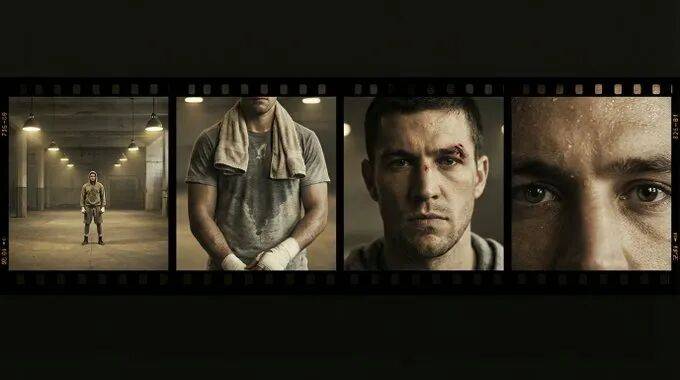
那些输出看起来不像 AI 的人,往往在同时上传 6-12 个参考文件,并在提示词里给每个文件标清楚角色。打字和真正执导之间的距离,全看这个系统你用不用。

Image 7

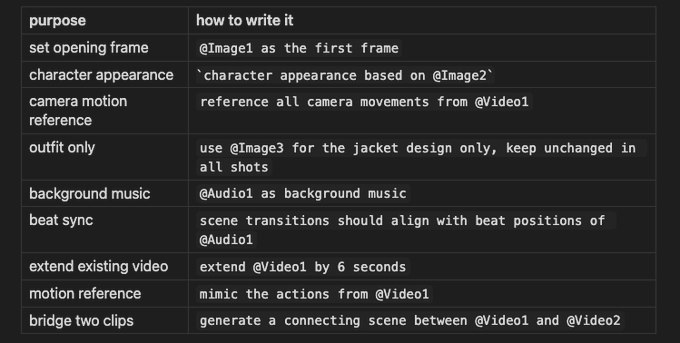
引用语法

Image 8

每个上传的文件在提示词里都必须有明确角色。没有 @ 标签的图片会被模糊处理,而扩散模型里的模糊性结果就是平均化——视觉上就是糊成一片。

首帧-末帧技术 是整篇里最被低估的捷径。上传你想要的首帧作为 @Image1,末帧作为 @Image2,描述中间发生什么,Seedance 会自动插值出连接两端的连贯运动。不需要画分镜,也不需要多步 pipeline。


5 个示例:从简单到完整多模态

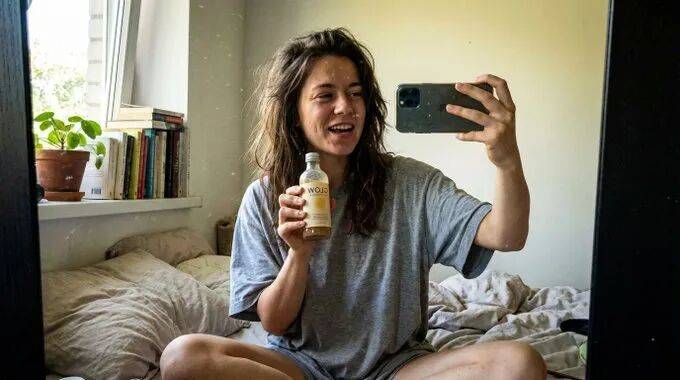
1. 口播视频 (UGC)

15 seconds UGC style review video, filmed on smartphone, natural bedroom
window lighting, casual handheld selfie angle, a young woman with brown 
hair pulled back, natural skin with visible texture, wearing a casual grey 
t-shirt, in her cozy bedroom, she holds a product up to the camera with 
genuine excitement, quick jump cut slightly closer angle, she applies it 
showing the texture, jump cut she leans into the camera with a natural 
smile, the lighting is soft natural daylight no ring light no filters, 
direct phone mic audio room ambience natural voice
Image 9

2. 产品英雄片

ultra cinematic 15-second luxury product commercial, smooth continuous 
sequence elegant pacing, fluid cinematic glide macro dolly plus soft 
orbit plus gentle push-ins, seamless transitions masked by depth blur and 
motion continuity no hard cuts everything flows organically,
(0-3s) macro shot of product on dark surface shallow depth of field rim light catching edges,
(3-7s) camera glides closer warm light rakes across surface revealing texture,
(7-11s) slow motion detail moment volumetric lighting,
(11-15s) pull-out to centered hero frame product isolated premium 
minimalist background, sharp clarity no jitter stable picture

3. 电影感场景

cinematic film tone 35mm warm golden hour lighting, a man in his 40s 
with weathered features sits at a wooden desk in a sun-drenched workshop 
carefully carving walnut wood, slow push-in from medium shot to close-up 
on his hands, dust motes float in the light beams from the window, 
shallow depth of field background softly blurred, earthy color palette, 
quiet ambient sound of wood shavings, avoid jitter avoid bent limbs, 
stable picture no temporal flicker

4. 动作序列(带时间码)

high-intensity cinematic fight in a misty bamboo forest 15 seconds photorealistic,
[0-4s]: wide establishing shot static camera mist rolling between bamboo stalks golden hour light two fighters face each other,
[4-8s]: medium tracking shot the fighter in white lunges forward with a spinning strike fluid orbital tracking follows the motion,
[8-12s]: low-angle power shot impact moment slow motion bamboo leaves scatter,
[12-15s]: pull-out wide shot the fighter in white stands victorious rim light separating figure from mist, film grain anamorphic texture, avoid bent limbs maintain face consistency

5. 完整多模态制作

  • • @Image1 角色参考(保持面部和服装)
  • • @Image2 环境参考(匹配灯光和色调)
  • • @Video1 镜头运动参考(复刻慢速环绕)
  • • @Audio1 背景音乐(转场跟节拍对齐)
15-second cinematic sequence 16:9 2K resolution, character from @Image1 
walks through the environment from @Image2, camera performs slow orbit 
matching @Video1's motion arc, scene transitions align with beat positions 
of @Audio1, golden hour rim lighting shallow depth of field, maintain 
character identity across all frames, avoid identity drift avoid jitter 
avoid temporal flicker, sharp clarity stable picture

迭代工作流

先用提示词生成 2-3 个基线版本,然后只改一个变量——镜头、灯光、速度修饰词,就一样。

给每次生成在连续性和 adherence(遵循度)上打分,保留最好的,再改下一个变量。

生成失败后的本能反应是重写整个提示词,同时改主体、镜头、风格、灯光——问题是下次失败的原因完全不同,你永远不知道到底什么有用、什么拖后腿。

受控迭代虽然每轮慢一点,但收敛更快。跟 A/B 测试比重新设计更有效是一个道理。

如果运动太微弱,可以在提示词开头加 dynamic motion 或 vibrant energy。这是全局强度修饰词,会放大你已经指定的运动,但不会引入新的运动类型。

在 Higgsfield 上迭代最舒服,因为可以同时跑 3-4 个只改了一个变量的变体,在同一个工作区里并排看,不用切标签页,也不会忘掉之前试过什么。


总结

Seedance 2.0 是目前最强的多模态视频模型。它能做到什么水平,跟大部分人实际拿到什么水平之间的差距,基本全看提示词架构。

5 层结构、关键词库、约束系统、@ 引用标签——上面这些就是完整工具包。每一节都是设计成你在生成中途需要回头查的参考内容。

建议收藏,生成时开着这篇参考用,而不是读完就丢。

全文完。


P.S.

1. Skill

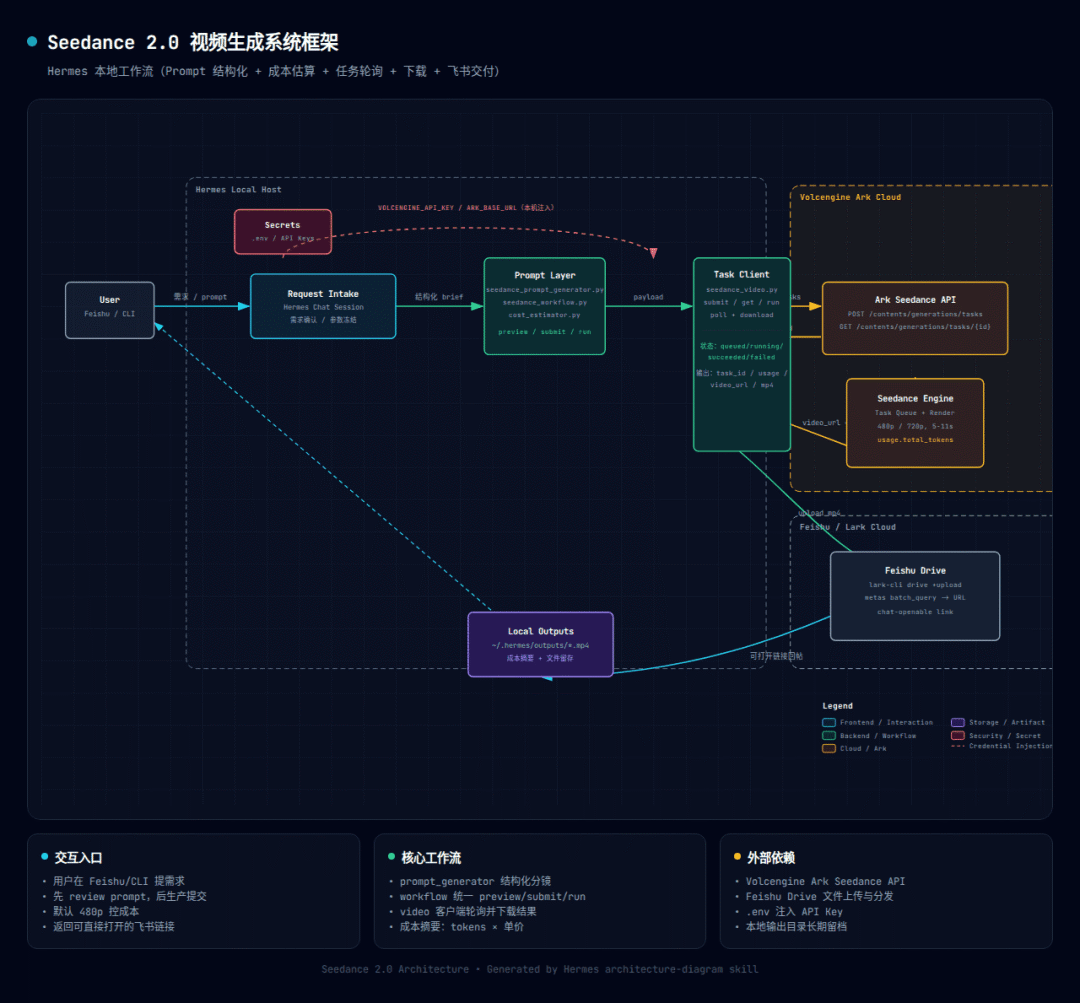
我用这个guidance封装了一个参考该模式的skill用于在飞书中生成、预览、保存Seedance2.0的视频(初版,瑕疵还很多,会持续优化;另外,你需要自行申请火山引擎的API KEY):

https://github.com/dracohu2025-cloud/draco-skills-collection/tree/main/seedance-video-local

uyVVZU
2. 关于成本
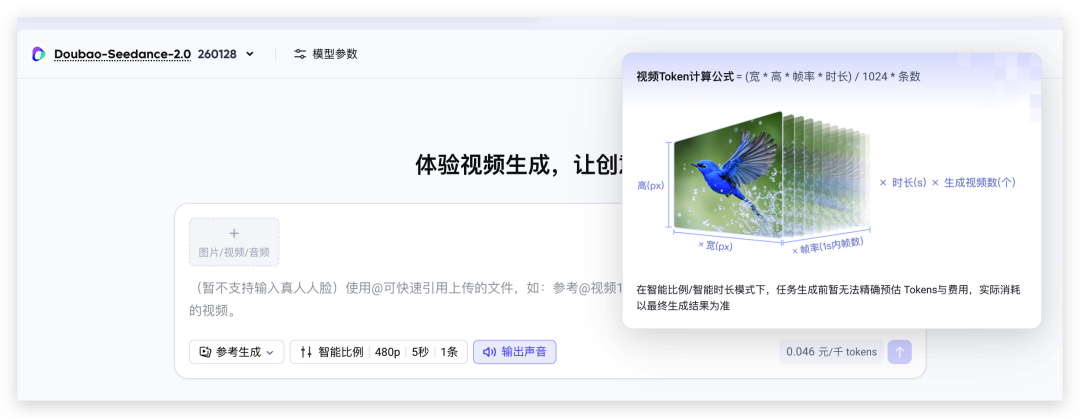
火山引擎Seedance2.0 portal给出的成本计算公式是:
  • 0.046元/千tokens
  • Token数 = (宽x高x帧率x时长)/(1024x条数)
必看!Seedance2.0 Prompt提示词宝典
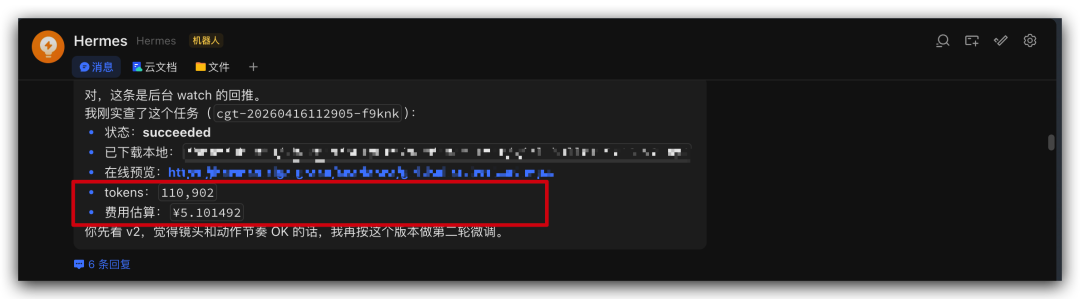
  • 1秒的1080×720视频的Tokens数 = (1080x720x24x1)/(1024×1)= 18225
  • 即1秒1080×720视频成本 = 18.225 x 0.046 = 0.838元
1秒八毛,5秒四块钱!
建议平常使用480p进行调试~ 稳定后再使用更高分辨率进行批量化生产。
必看!Seedance2.0 Prompt提示词宝典

实战分享

我给星露谷的 NPC 接入了 Hermes Agent

2026-4-16 11:30:52

AI情报

十个好用Claude Code Skills分享,让你的AI编程效率翻倍

2026-4-1 19:27:51

0 条回复 A文章作者 M管理员
    暂无讨论,说说你的看法吧